Length & format
Choose Shorts or long-form, up to 60 minutes.
THE FACELESS VIDEO WORKFLOW
Give Askumo a topic and the storytelling style you like. Shape the script, choose a voice and captions, then bring every scene together in one guided studio.
FROM A SPARK TO A STORYBOARD
A clear, guided process turns your topic and reference into a video plan you can review, direct and produce—without starting from a blank timeline.
FROM LENGTH TO FIRST CUT
A guided wizard takes you from a duration and reference to a script, storyboard and editable video. The screenshot frames are ready for your seven Creator Studio captures.
Choose Shorts or long-form, up to 60 minutes.
Add a transcript and notes on tone and pacing.
Describe the subject, audience and angle.
Review and shape narration and opening hooks.
Choose narration, visual style, captions and music.
Review scenes, prompts and timing before production.
Generate scenes or import Flow images, then refine.
BUILT FOR THE WHOLE CUT
Shape every layer on a multi-track timeline, start from a template and refine the details. AI features depend on account access and enabled providers.
Arrange video, image, audio, text and effect layers. Trim, split, reorder, snap, undo and redo as you refine the cut.
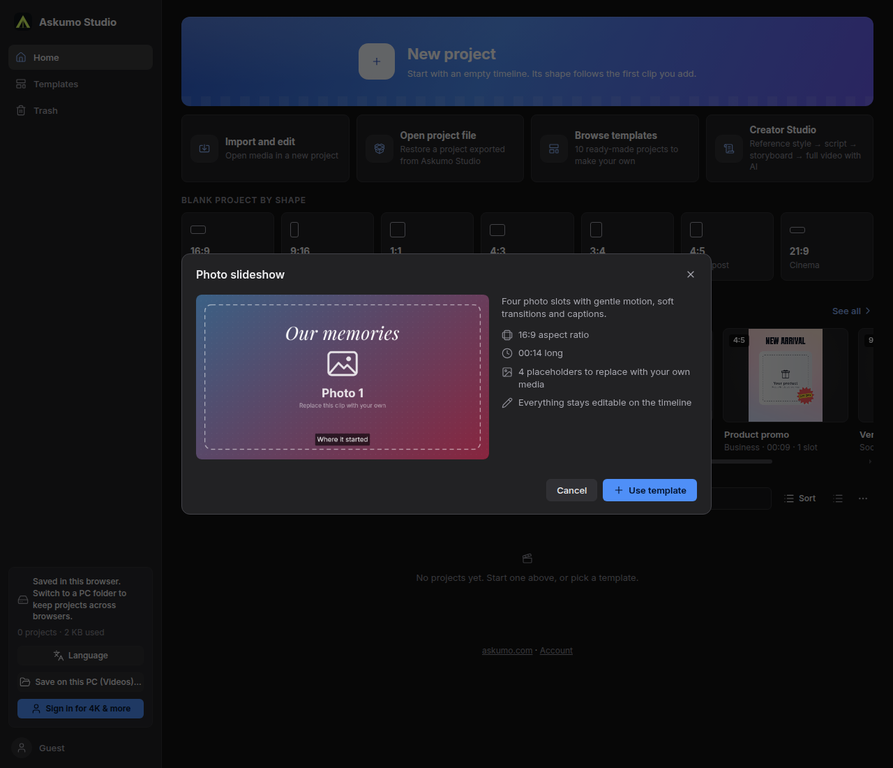
Choose a canvas for widescreen, vertical, square and more. Pick a starter project, replace the media and keep editing.
Style and animate titles, import SRT/VTT, edit captions and export a subtitle file. AI captions require AI access.
Layer transitions, effects, filters and color adjustments. Keyframe motion and tune crop, scale, rotation and opacity.
Add music and sound effects, record voiceover, separate video audio and tune fades and volume. AI voice tools require enabled access.
Detect scenes, trim silence, sync clips, stabilize footage, remove backgrounds and reframe around a subject.
AI actions depend on account access, enabled providers and available quota. Projects are saved in this browser or a folder you choose; export options depend on browser and device capabilities.
CAPTURED FROM THE LIVE STUDIO
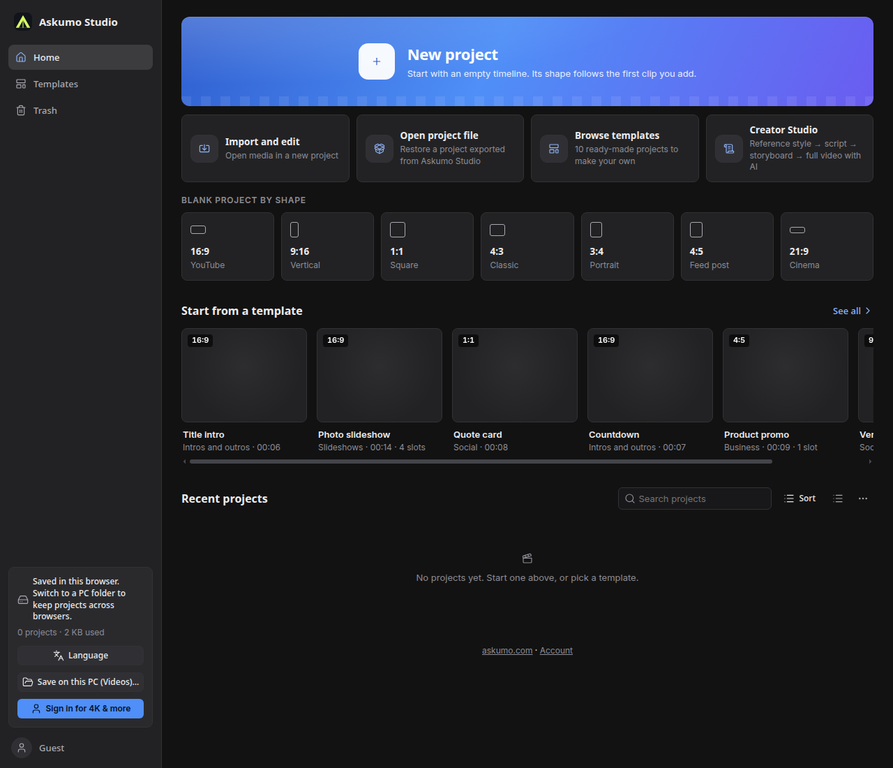
Browse starter projects, choose a canvas and open a real editable project in Askumo Studio. Use your media and keep the creative decisions in your hands.


AUTOMATION WITH ROOM TO DIRECT
Askumo can assemble the script, storyboard, scene visuals, narration and captions into an editable project. Review the scenes, change what you like and export when it feels right.
Explore Creator Studio↗Use the AI image and voice providers configured for your studio to build a first pass directly into the timeline.
Use the scene prompts to make the images in Flow, import the finished set and let Askumo place them against your script and narration.
A LITTLE CHARACTER. A BIG CREATIVE ENERGY.
Ask + Umo. A friendly face for the ideas, drafts and late-night “what ifs” that become your next video.
YOUR CREATIVE CO-PILOTSTART SMALL. SCALE YOUR WORKFLOW.
Start with the browser editor, add AI when you need it, and choose the dedicated Creator plan for a monthly long-form allowance.
A one-time unlock for the browser editing studio.
The one-time AI pack. During the Creator rollout it also unlocks limited Creator Studio use, subject to your monthly minute cap.
The dedicated recurring plan for the long-form workflow and monthly rendering allowance.
Shown prices are current product defaults. During rollout, the one-time AI pack may also unlock limited Creator Studio use. AI results depend on enabled providers, available quotas and account entitlements.
BEFORE YOU HIT PRODUCE
Yes. Choose a vertical or widescreen frame and plan a video from 1 to 60 minutes. Your monthly Creator rendering allowance is separate from the length setting.
No. $2 buys editor access only. The $5 AI pack is one-time and currently may also unlock limited Creator Studio use (60 rendered minutes/month by default). The $20/month Creator plan is the dedicated recurring option when enabled; confirm available products at checkout.
Yes. Creator Studio can use imported scene images alongside its generated scenes. The current Flow route is a guided export-and-import workflow, not an automatic Flow account connection.
No. A transcript and style note guide structure and tone. Review and rewrite the script so your final video uses original wording, visuals and ideas you have rights to use.
AI production depends on enabled providers, API availability and account limits. Browser editing and rendering performance depend on your computer, browser and project size.
YOUR NEXT VIDEO STARTS WITH AN IDEA
Bring your topic, choose a direction and let the workflow take shape.
Open Askumo Studio